In the previous post in the series we explored the concept of Documents in EDP. This post explores some of their more advanced features.
Generation
Document Items in EDP can be configured to generate their files using built-in File Generators. SQL scripts can be used to generate simple files, such as CSV, JSON or XML, or SSRS can be employed to generate more complex files such as Excel Workbooks or PDFs.
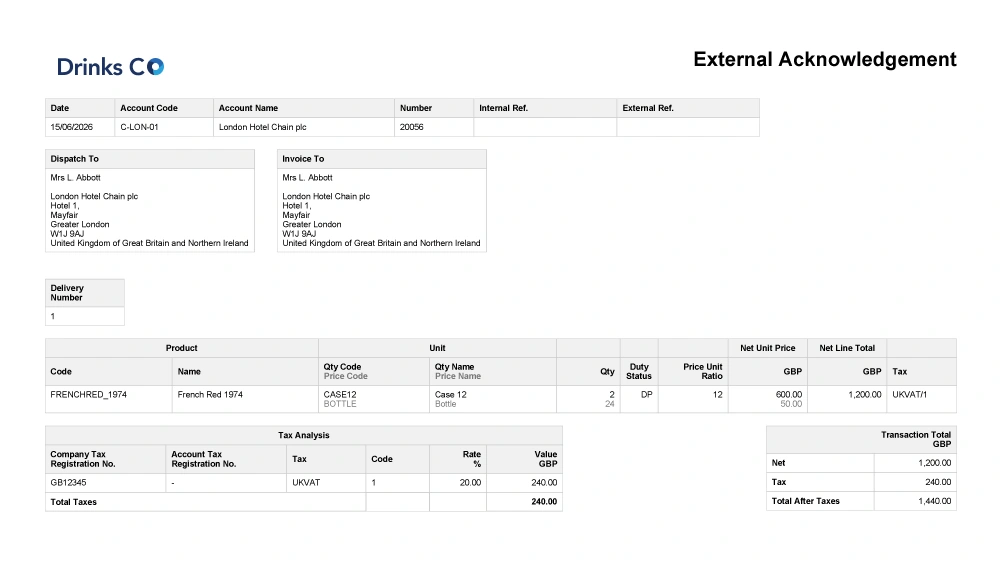 The generation request can be configured manually to allow the creation of files on-the-fly, such as EDI files or those required by courier integrations or other third-party software. Alternatively, Menu Items attached to entities in the system can be invoked to provide single-click generation for things like product specifications.
Referrals
To facilitate a single source of truth and to avoid duplication, a Document Item in one Document can refer to a Document Item in another. This ties together the simplicity and flexibility of being able to drop an email into the system with the rigidity and complexity of requiring versioned, categorised and language specific Document Items.
For example, a Supplier may send you an email directly that you wish to import into the CRM and index against that Supplier. In passing, the same email may contain a new version of the product specification for a specific Product that corrects a spelling mistake in a previous version.
You can still drop the email on the supplier to create the linked Document representing the email. Now navigate to the Product, find the product specification Document and create a new Document Item that refers to the attachment in your email and assign the correct version number. This provides visibility of how the new version was obtained and overcomes the cost of having to store the same file twice.
The next post in the series expands upon these concepts to explain how you can generate and transmit files and data.